
YouTube Thumbnail Downloader: Download Any YouTube Thumbnail in HD
📌 In This Article
- What Is a YouTube Thumbnail Downloader?
- Why Do People Download YouTube Thumbnails?
- Content Research
- Inspiration for New Videos
- Marketing Analysis
- Educational Purposes
- How to Download YouTube Thumbnail Images
- Method 1: Use a YouTube Thumbnail Downloader
- Method 2: Access the Thumbnail URL Directly
- Understanding YouTube Thumbnail Sizes
- Default Thumbnail
- Medium Quality Thumbnail
- High Quality Thumbnail
- Maximum Resolution Thumbnail
- Why Thumbnails Matter for YouTube SEO
- Features to Look for in a Thumbnail Downloader
- Advanced Thumbnail Strategies Used by Successful YouTubers
- The Curiosity Gap
- Emotion-Based Thumbnails
- High Contrast Colors
- Minimal Text
- Common Mistakes When Creating YouTube Thumbnails
- How Marketers Use YouTube Thumbnail Downloads
- Is It Legal to Download YouTube Thumbnails?
- Best Practices for Thumbnail Research
- Quick Answer: How to Download a YouTube Thumbnail
- Frequently Asked Questions
- How do I download a YouTube thumbnail?
- Can I download YouTube thumbnails in HD?
- Is a YouTube Thumbnail Downloader free?
- Can I download thumbnails from YouTube Shorts?
- What is the best YouTube Thumbnail Downloader?
- Why do creators download YouTube thumbnails?
- Final Thoughts
If you've ever wanted to save a YouTube thumbnail from a video, you're not alone. Millions of creators, marketers, designers, and content researchers search for a reliable YouTube Thumbnail Downloader every month.
A thumbnail is often the first thing viewers notice before clicking a video. In many cases, the thumbnail plays a bigger role than the title itself. That's why creators spend hours designing eye-catching visuals that increase click-through rates and attract more viewers.
Whether you're analyzing competitors, collecting design inspiration, creating case studies, or building your own YouTube channel, knowing how to perform a YouTube thumbnail download quickly can save time and improve your workflow.
In this guide, you'll learn:
- What a YouTube Thumbnail Downloader is
- How to download YouTube thumbnails
- Why thumbnails matter for YouTube growth
- Different thumbnail sizes and resolutions
- Best practices for thumbnail analysis
- Common questions people ask about downloading YouTube thumbnails
If you're looking for a quick solution, you can use our free YouTube Thumbnail Downloader tool: YouTube Thumbnail Downloader
What Is a YouTube Thumbnail Downloader?
A YouTube Thumbnail Downloader is a tool that allows users to extract and save the thumbnail image associated with any public YouTube video.
Instead of manually taking screenshots, a thumbnail downloader retrieves the original image directly from YouTube servers.
This allows you to download:
- Standard quality thumbnails
- High quality thumbnails
- Full HD thumbnails
- Maximum resolution thumbnails (when available)
Many people search for terms like:
- download YouTube thumbnail
- download thumbnail from YouTube
- thumbnail downloader
- thumbnail grabber
- YouTube thumbnail image
All these searches have the same goal: obtaining the original thumbnail image from a YouTube video.
Why Do People Download YouTube Thumbnails?
The demand for YouTube thumbnail download tools continues to grow because thumbnails have become one of the most important elements of video marketing.
Content Research
Successful creators constantly study top-performing videos. By downloading thumbnails, they can analyze color choices, typography, facial expressions, design trends, and branding strategies.
Inspiration for New Videos
Many creators maintain inspiration folders filled with successful thumbnails. This helps them discover patterns that attract viewers.
Marketing Analysis
Digital marketers frequently perform thumbnail analysis when studying competitors. Understanding which visual elements generate clicks can improve future campaigns.
Educational Purposes
Teachers, trainers, and researchers often use YouTube thumbnails in presentations and educational materials when discussing digital marketing and content creation.
How to Download YouTube Thumbnail Images
Downloading a thumbnail is surprisingly simple.
Method 1: Use a YouTube Thumbnail Downloader
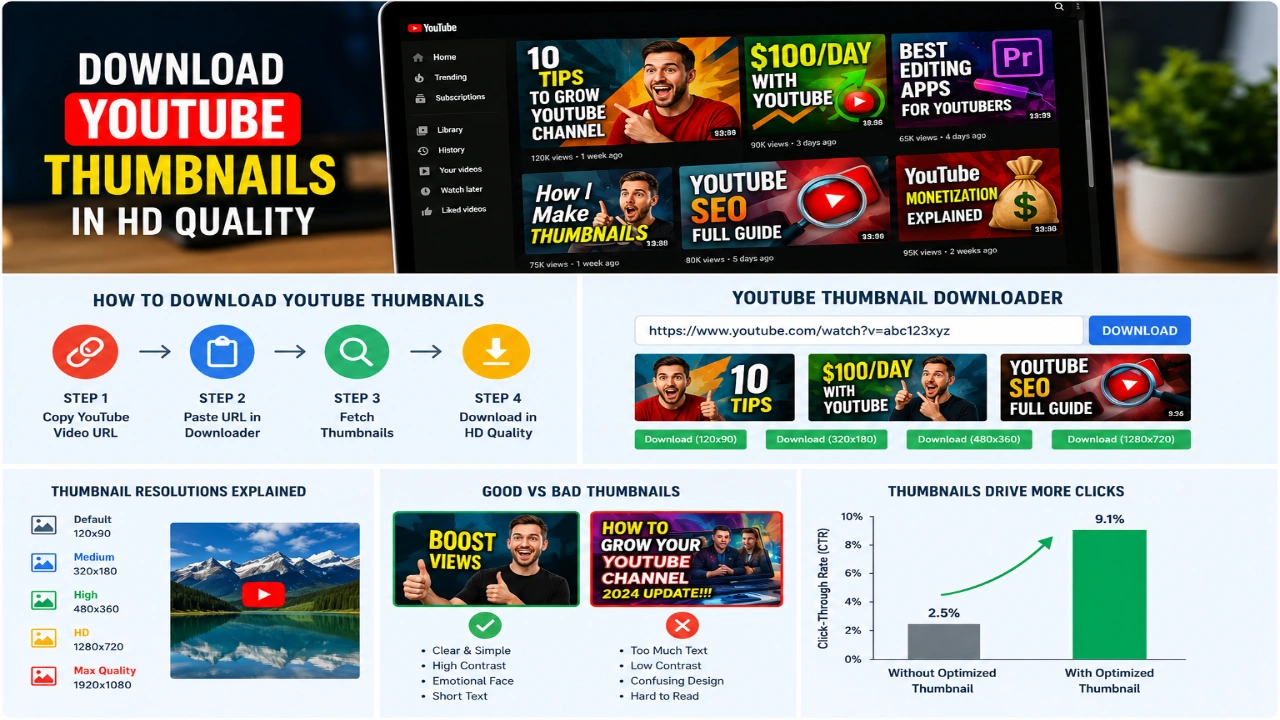
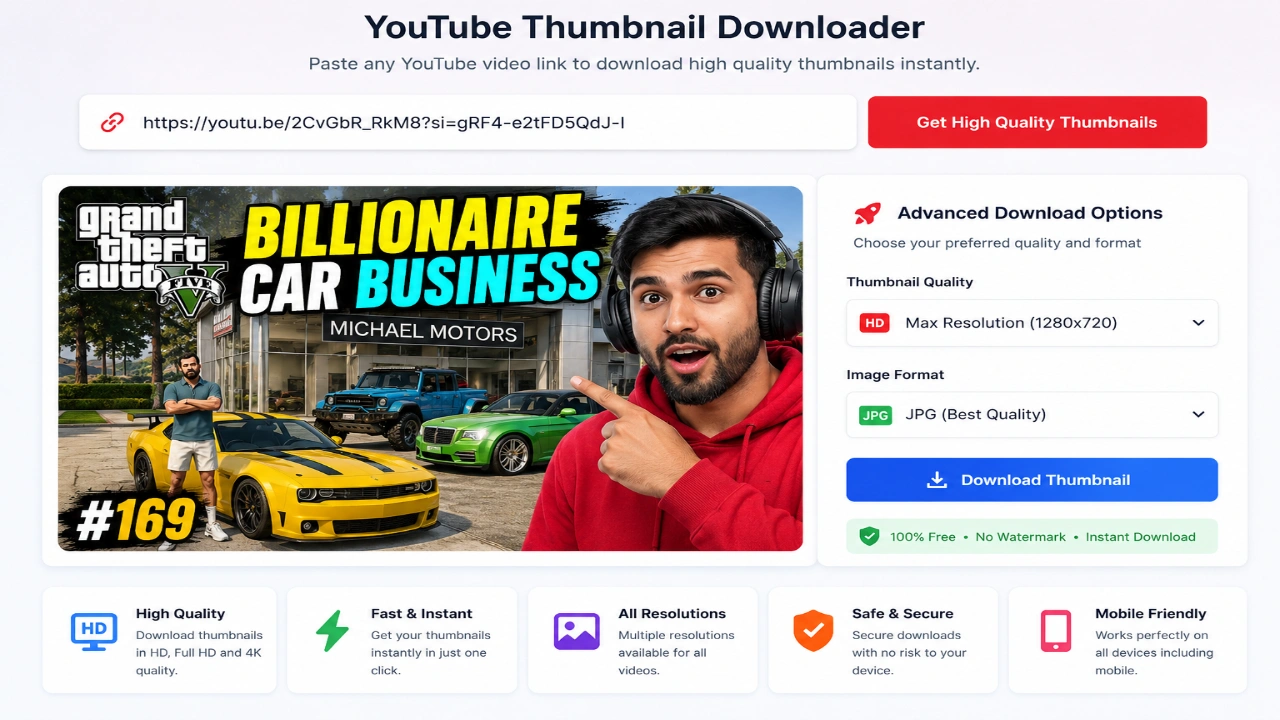
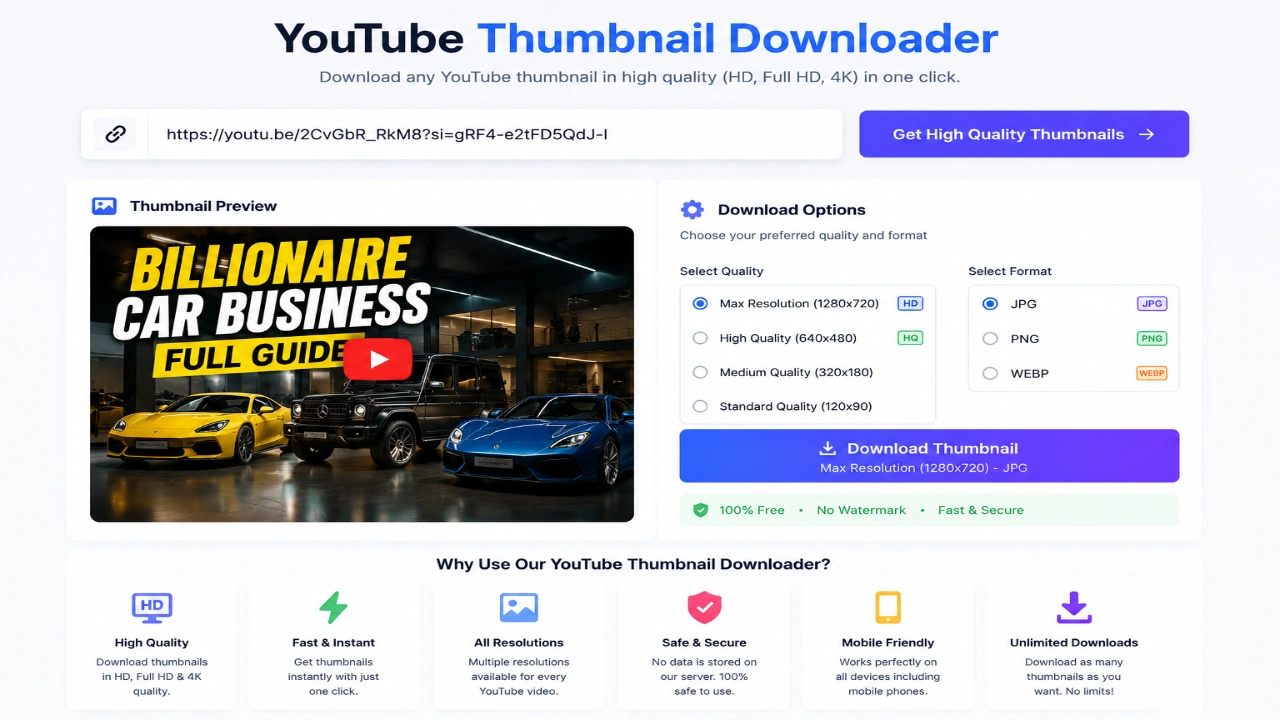
The easiest method is using a dedicated tool. Steps:
- Open YouTube.
- Copy the video URL.
- Visit the YouTube Thumbnail Downloader.
- Paste the URL.
- Click download.
- Choose the desired resolution.
This method works within seconds and requires no technical knowledge.
Method 2: Access the Thumbnail URL Directly
Advanced users sometimes access thumbnail URLs directly. However, this approach requires understanding YouTube image structures and is not convenient for most users. For that reason, a thumbnail downloader remains the preferred solution.
 Understanding YouTube Thumbnail Sizes
Not all thumbnails are created equal. Different videos may provide different image resolutions.
Default Thumbnail
Used for basic previews and older videos.
Medium Quality Thumbnail
Suitable for quick previews and references.
High Quality Thumbnail
Provides sharper details and better image clarity.
Maximum Resolution Thumbnail
The most desirable version. Benefits include better clarity, professional analysis, higher zoom capability, and improved design inspection. When performing a download YouTube video thumbnail process, maximum resolution is usually the preferred option.
Why Thumbnails Matter for YouTube SEO
Many creators focus only on keywords and descriptions. However, thumbnails directly influence click-through rates. A strong thumbnail can increase video clicks, improve watch time, generate more engagement, and boost video performance.
YouTube's algorithm pays close attention to user behavior. If more people click a video because of an attractive thumbnail, that video often receives greater visibility. That's why studying successful thumbnails has become a common strategy among growing channels.
Features to Look for in a Thumbnail Downloader
Not every thumbnail downloader offers the same experience. A good tool should provide:
- Fast Processing: Nobody wants to wait several minutes for a thumbnail.
- Multiple Resolutions: Users should be able to choose between different image sizes.
- Mobile Compatibility: Many creators work directly from smartphones.
- Free Access: The best tools provide functionality without forcing registrations or subscriptions.
- Clean Interface: Simple tools generally produce a better user experience.
Our free tool was built with these principles in mind:
Advanced Thumbnail Strategies Used by Successful YouTubers
If you look closely at the thumbnails used by top creators, you'll notice they follow certain patterns. Channels with millions of subscribers rarely create thumbnails randomly. Instead, they use tested visual strategies designed to maximize clicks.
The Curiosity Gap
One of the most effective thumbnail techniques is creating curiosity. The thumbnail shows enough information to attract attention but not enough to reveal the full story.
Emotion-Based Thumbnails
Human faces naturally attract attention. Studies in digital marketing consistently show that thumbnails containing strong emotions often receive higher click-through rates. When using a YouTube Thumbnail Downloader, many creators study successful thumbnails to understand how facial expressions influence viewer behavior.
High Contrast Colors
Top-performing thumbnails frequently use high contrast colors like yellow and black or red and white to improve visibility on both desktop and mobile devices.
Minimal Text
Many beginners overload thumbnails with text. Successful creators often use only 2 to 5 words in large fonts. Simple thumbnails tend to perform better because viewers can understand them instantly.
Common Mistakes When Creating YouTube Thumbnails
Downloading and studying thumbnails is useful, but copying bad practices can hurt performance.
- Using Too Much Text: A thumbnail should support the title, not replace it.
- Poor Image Quality: Blurry images reduce trust. Always use high-quality images.
- Inconsistent Branding: Viewers should recognize your content immediately through consistent colors and fonts.
- Clickbait Without Value: Misleading thumbnails may increase clicks temporarily, but they often reduce watch time and audience trust.
How Marketers Use YouTube Thumbnail Downloads
YouTube thumbnails are valuable beyond content creation. Marketers frequently perform competitor analysis, design trend analysis, and CTR optimization studies. A thumbnail grabber makes this process much easier. Many visual marketing concepts used in YouTube thumbnails also work well for Facebook Ads, Instagram Ads, and TikTok Promotions.
Is It Legal to Download YouTube Thumbnails?
In general, downloading a thumbnail for research, educational purposes, inspiration, and analysis is typically acceptable. However, using someone else's thumbnail commercially without permission may create copyright concerns. The safest approach is to use downloaded thumbnails as references and create original designs for your own content.
 Best Practices for Thumbnail Research
When using a YouTube Thumbnail Downloader, follow these best practices:
- Create an Inspiration Library: Organize thumbnails by category like Tech, Gaming, Education, or Finance.
- Analyze Patterns: Ask which colors appear most often and how much text is displayed.
- Study Top Performers: Focus on channels that consistently attract views to reveal valuable insights about audience behavior.
Quick Answer: How to Download a YouTube Thumbnail
- Copy the YouTube video URL.
- Open a YouTube Thumbnail Downloader.
- Paste the URL.
- Generate thumbnail previews.
- Download the preferred resolution.
- Save the image.
You can use https://shahinsights.com/tools/youtube-thumbnail-downloader to quickly download thumbnails from public YouTube videos.
Frequently Asked Questions
How do I download a YouTube thumbnail?
Copy the YouTube video link, paste it into a YouTube Thumbnail Downloader, and download the image in your preferred resolution.
Can I download YouTube thumbnails in HD?
Yes. Many videos provide high-resolution thumbnail images that can be downloaded using a thumbnail downloader tool.
Is a YouTube Thumbnail Downloader free?
Most thumbnail downloader tools are free to use and do not require registration.
Can I download thumbnails from YouTube Shorts?
Yes. YouTube Shorts also have thumbnail images that can often be extracted using compatible downloader tools.
What is the best YouTube Thumbnail Downloader?
The best downloader is one that provides fast processing, multiple resolutions, mobile compatibility, and a simple user experience.
Why do creators download YouTube thumbnails?
Creators download thumbnails to study successful designs, analyze competitors, gather inspiration, and improve their own content strategy.
Final Thoughts
A reliable YouTube Thumbnail Downloader is more than just a convenience tool. It helps creators, marketers, designers, and researchers better understand what attracts clicks and drives engagement on YouTube.
Whether you're looking to perform a simple YouTube thumbnail download, save a YouTube thumbnail image for research, use a thumbnail grabber for competitor analysis, or learn how successful creators design high-performing visuals, the ability to quickly download YouTube thumbnails can become an important part of your content workflow.
As YouTube becomes increasingly competitive, understanding thumbnail strategy is no longer optional. The creators who consistently attract views are often the ones who invest time in studying and improving their visual presentation.
If you need a quick and easy solution, try our free YouTube Thumbnail Downloader and start analyzing thumbnails in seconds.
Also Read:- Geo Vs Seo

YouTube’s New AI Update 2026 Changes Shorts, Monetization & AI Content Rules
May 12, 2026
YouTube AI Deepfake Detection Update 2026: What Creators Should Know
May 16, 2026
YouTube Automation 2026: Complete Guide to Start a Faceless Channel & Earn $500/Month
April 19, 2026
💬 Comments
No approved comments yet. Be the first to share your thoughts!
Leave a Comment
Your email address will not be published. Required fields are marked *